Lab 5 — Detection Logic using DLP Engine
Dependency: The DLP dictionary and engine created in this lab are referenced in Labs 6, 7, and 8. Complete all steps before moving to the next lab.
Build custom detection logic — dictionaries and engines — that will be reused across all protection policies in Labs 6, 7, and 8.
1. Navigate to DLP Dictionaries and Engines
Policies → Data Protection → Common Resources → Dictionaries & Engines
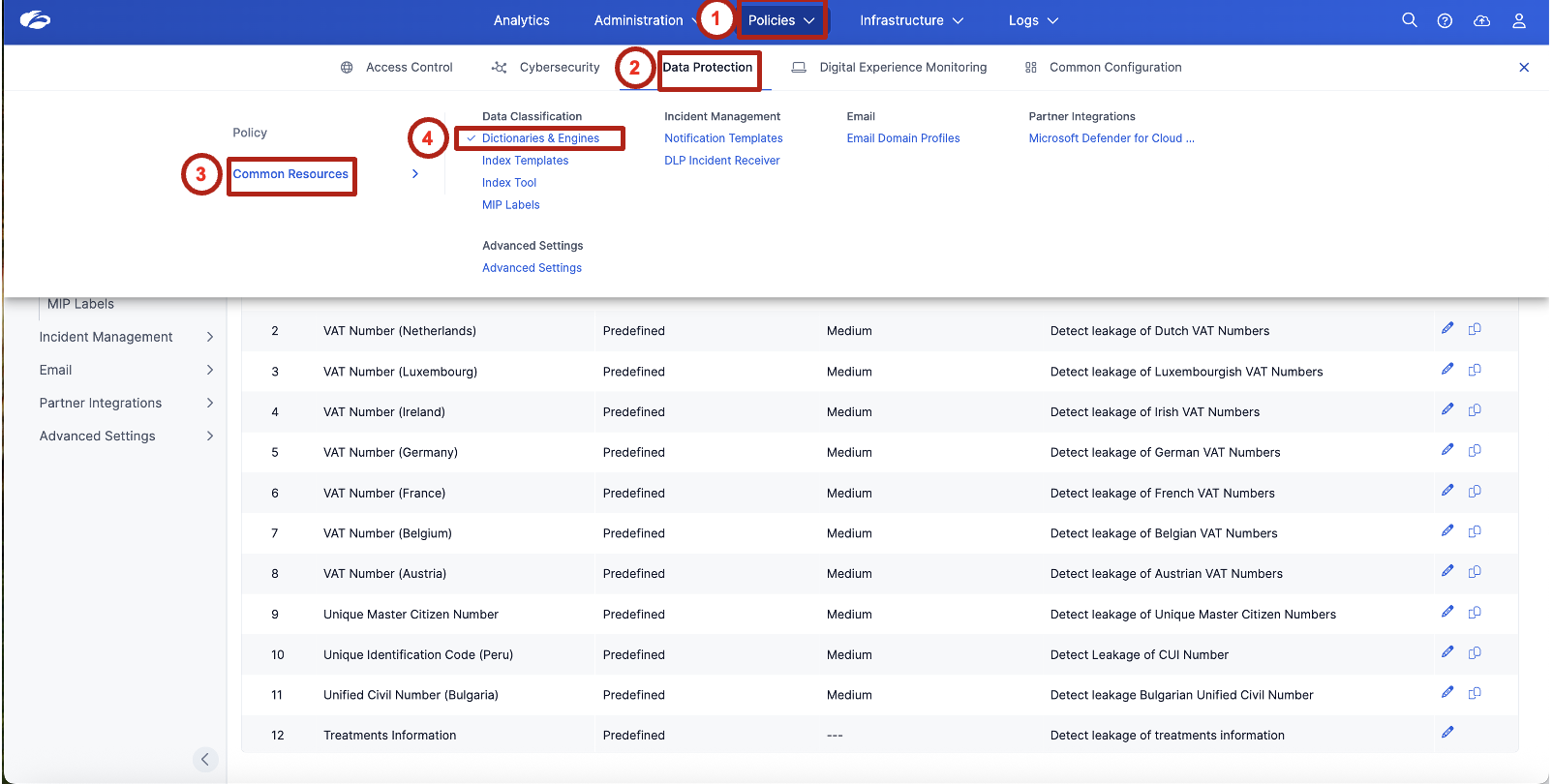
Review the list of predefined dictionaries. Observe available detection logic such as:
- Credit Cards
- Social Security Numbers
- Bank Routing Numbers
- National Identification Numbers
These predefined dictionaries provide built-in detection capabilities for commonly regulated data types — no configuration required to get started with standard compliance frameworks.
2. Review an Existing Predefined Dictionary
Understand how detection confidence and proximity influence sensitive data identification.
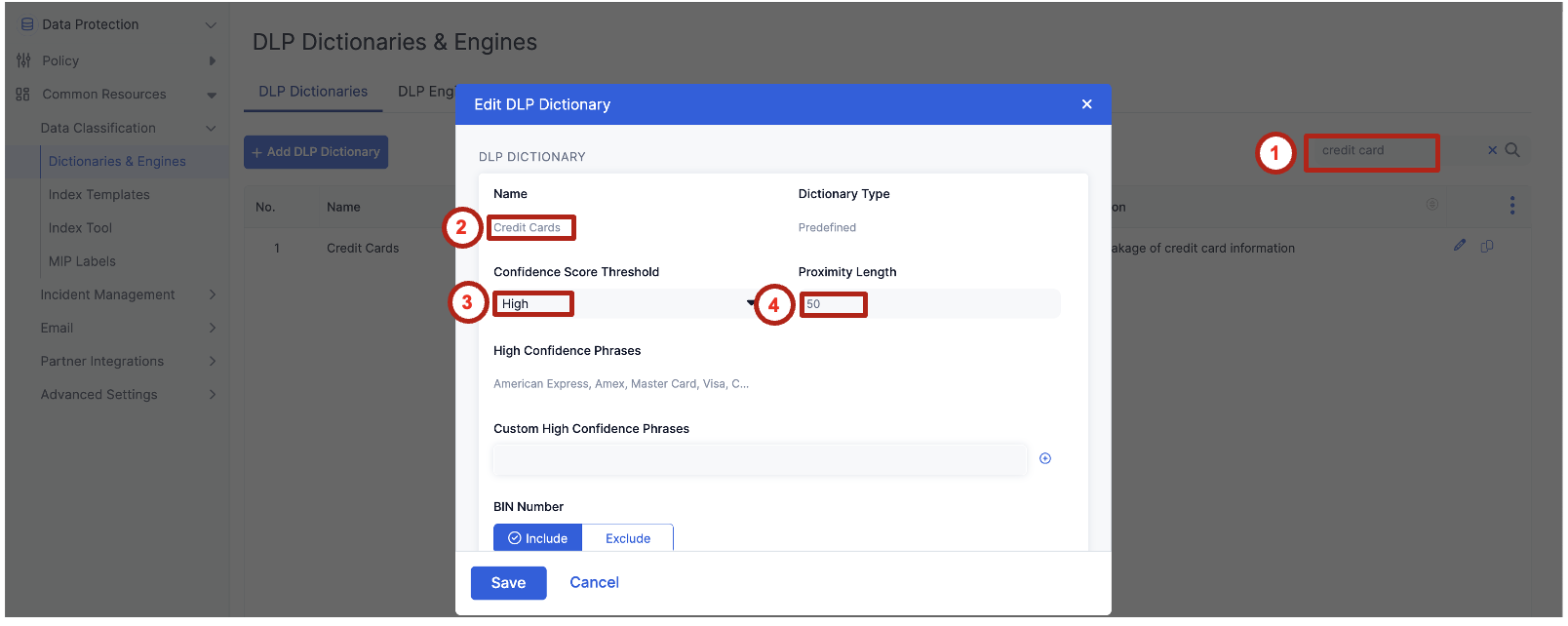
In the search field, type credit card and open the Credit Cards dictionary.
Review the following settings:
| Setting | Value |
|---|---|
| Confidence Score Threshold | High |
| Proximity Length | 50 characters |
Explain that confidence and proximity reduce false positives by ensuring sensitive values appear near meaningful keywords. A credit card number appearing next to "card number" or "payment" is far more likely to be genuine than a random 16-digit string in a log file.
3. Create a Custom DLP Dictionary
Build custom detection logic for organization-specific sensitive data.
Click Add DLP Dictionary.
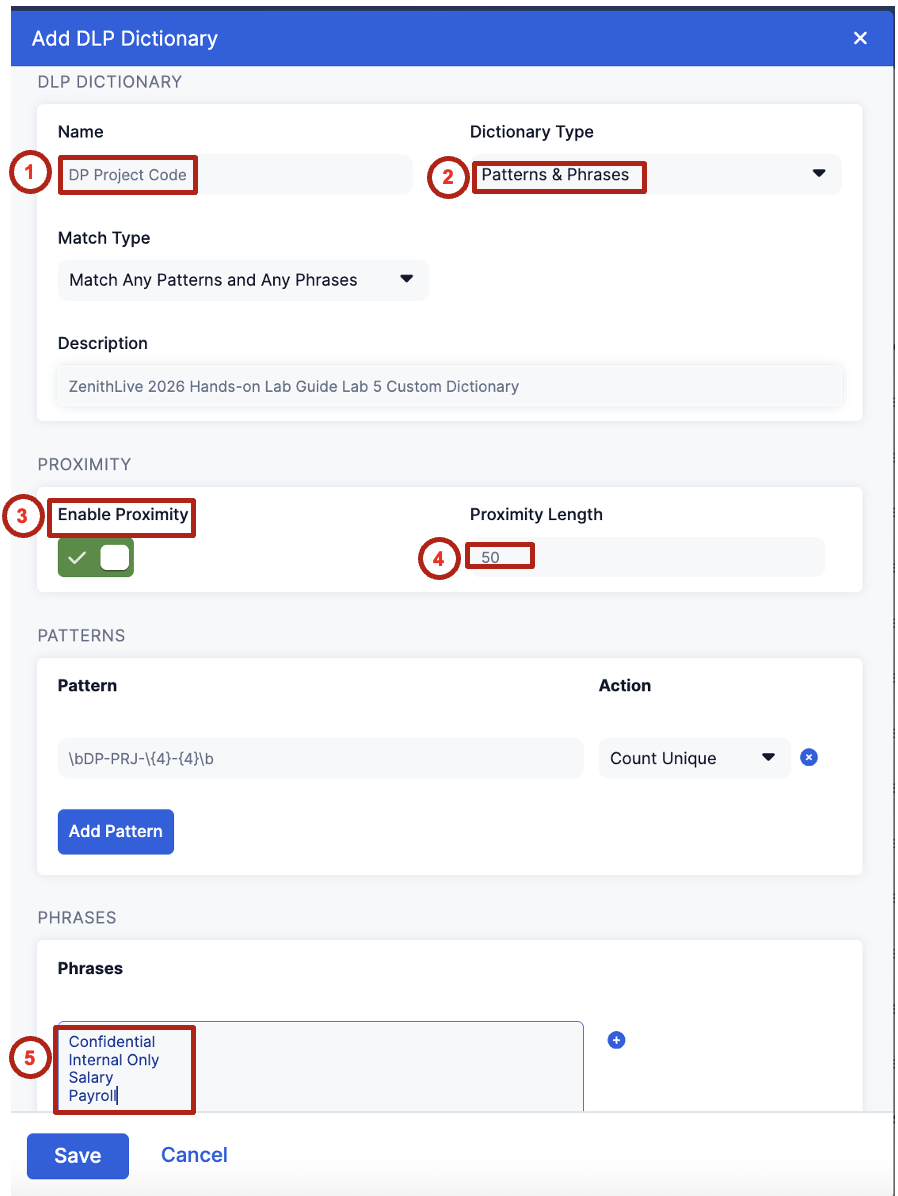
Configure the dictionary with the following settings:
| Field | Value |
|---|---|
| Name | DP Project Code |
| Dictionary Type | Patterns & Phrases |
| Enable Proximity | Enabled |
| Proximity Length | 50 |
Add the following detection pattern:
Set the action to Count Unique.
Then add the following contextual phrases:
- Confidential
- Internal Only
- Salary
- Payroll
Custom dictionaries allow organizations to detect proprietary identifiers that are not covered by standard compliance templates — project codes, internal classifications, or domain-specific terminology unique to your business.
4. Create a Detection Logic using a DLP Engine
Combine multiple detection signals into a single classification rule.
Switch to the DLP Engines tab.
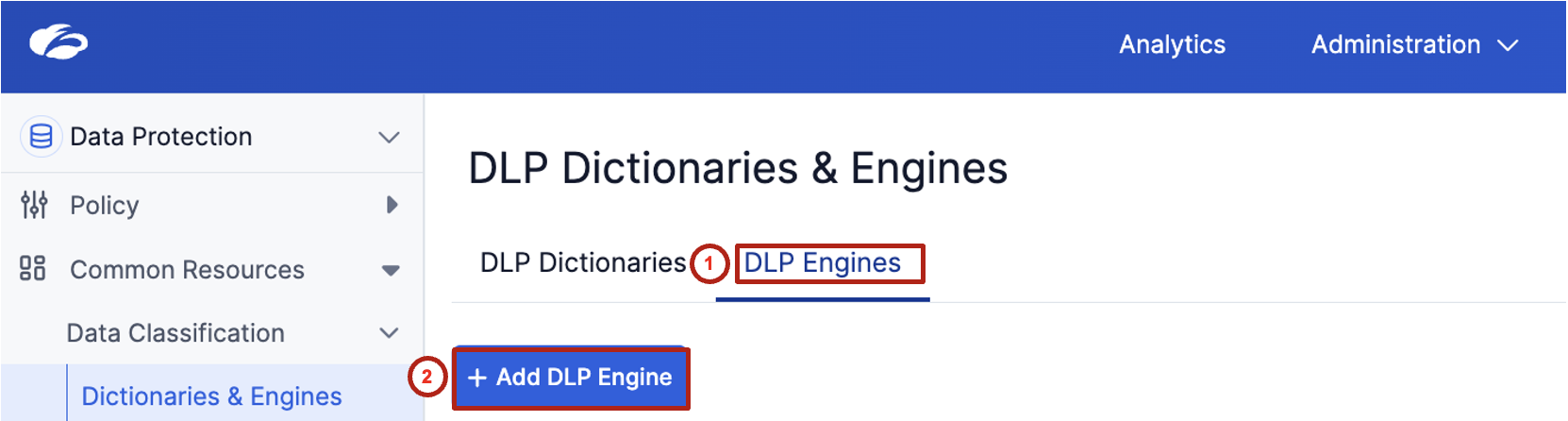
Click Add DLP Engine and configure with the following values:
| Field | Value |
|---|---|
| Name | DP Project Code |
| Operator | ALL |
Add the following detection components, each with condition > 0:
- Credit Cards
- Social Security Numbers (US)
- ABA Bank Routing Number
- DP Project Code
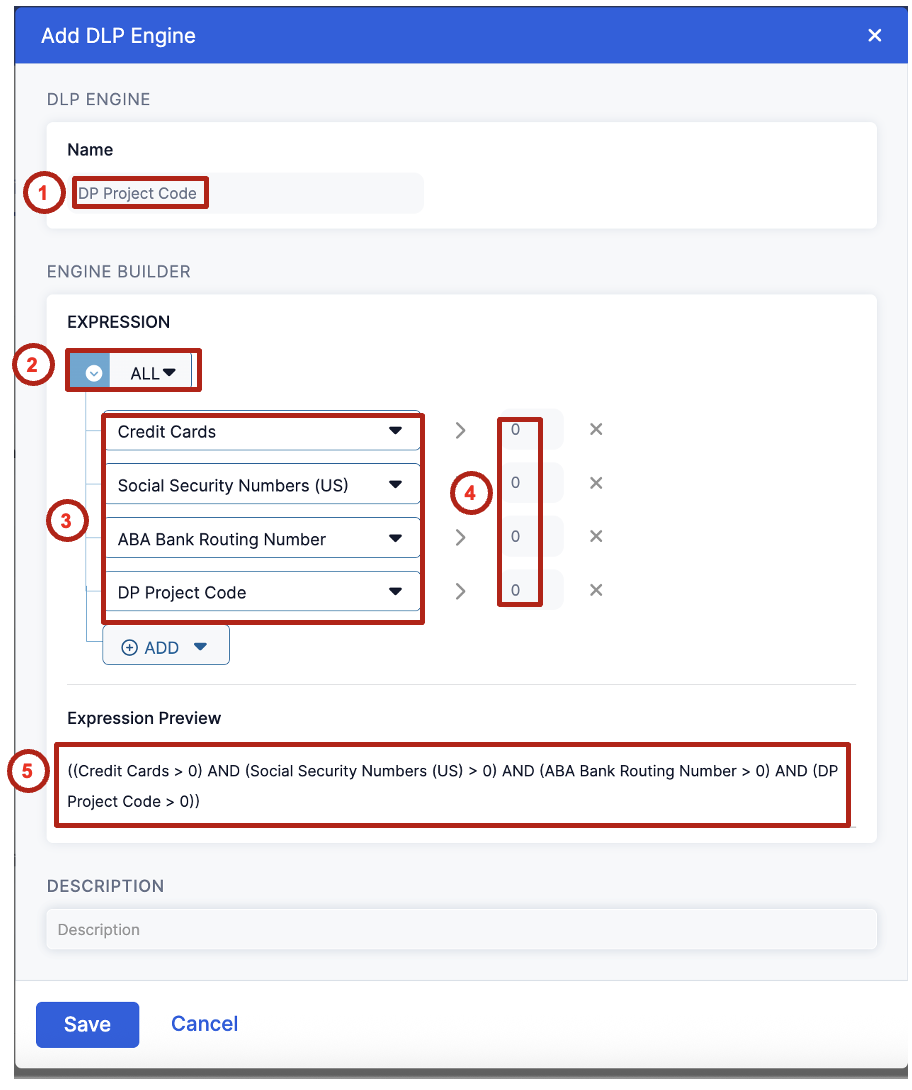
Review the expression preview. It should display:
((Credit Cards > 0) AND (Social Security Numbers (US) > 0) AND (ABA Bank Routing Number > 0) AND (DP Project Code > 0))
This logic represents a high-confidence detection scenario where multiple sensitive data elements appear together — exactly the pattern you'd expect in a payroll file like Dataparity_Q2_2025_Payroll_Report.docx.
Emphasize the separation of detection and enforcement — this engine can be reused across Labs 6, 7, and 8 without reconfiguration. Tune detection once, apply everywhere.
5. Understand How Detection Logic Supports Enforcement
Connect detection logic to future protection scenarios.
This detection logic will be reused in the following labs:
| Lab | Channel | Action |
|---|---|---|
| Lab 6 | Web | Block sensitive data uploads |
| Lab 7 | Endpoint | Prevent exfiltration to removable media |
| Lab 8 | Browser | Control copy and paste |
- Why is it important to combine multiple detection signals instead of relying on a single identifier?
- How does proximity detection reduce false positives?
- What types of organization-specific identifiers should be added to custom dictionaries?
- How does this detection logic support consistent protection across Web and Endpoint environments?
Detection logic defines what is sensitive. Policies define what to do about it.
Once created, the same logic can be reused across multiple enforcement channels to provide consistent data protection across Web, Endpoint, and Browser environments — no duplication, no drift.
Transition line: "The system now knows what sensitive data looks like. In Lab 6, we'll use that to stop it from leaving the organization via the web."
If attendees ask why ALL vs. ANY — ALL is intentionally high-confidence to minimize false positives for a block action. ANY would cast a wider net and is better suited for an alert-only policy.