Lab 1 — Shadow IT Discovery
Reach the SaaS Security Report and review the top-level view of every cloud application observed through the Zscaler proxy — sanctioned and unsanctioned.
1. Open the SaaS Security Report — Shadow IT Overview
After logging in, you should land on the Experience Center dashboard.
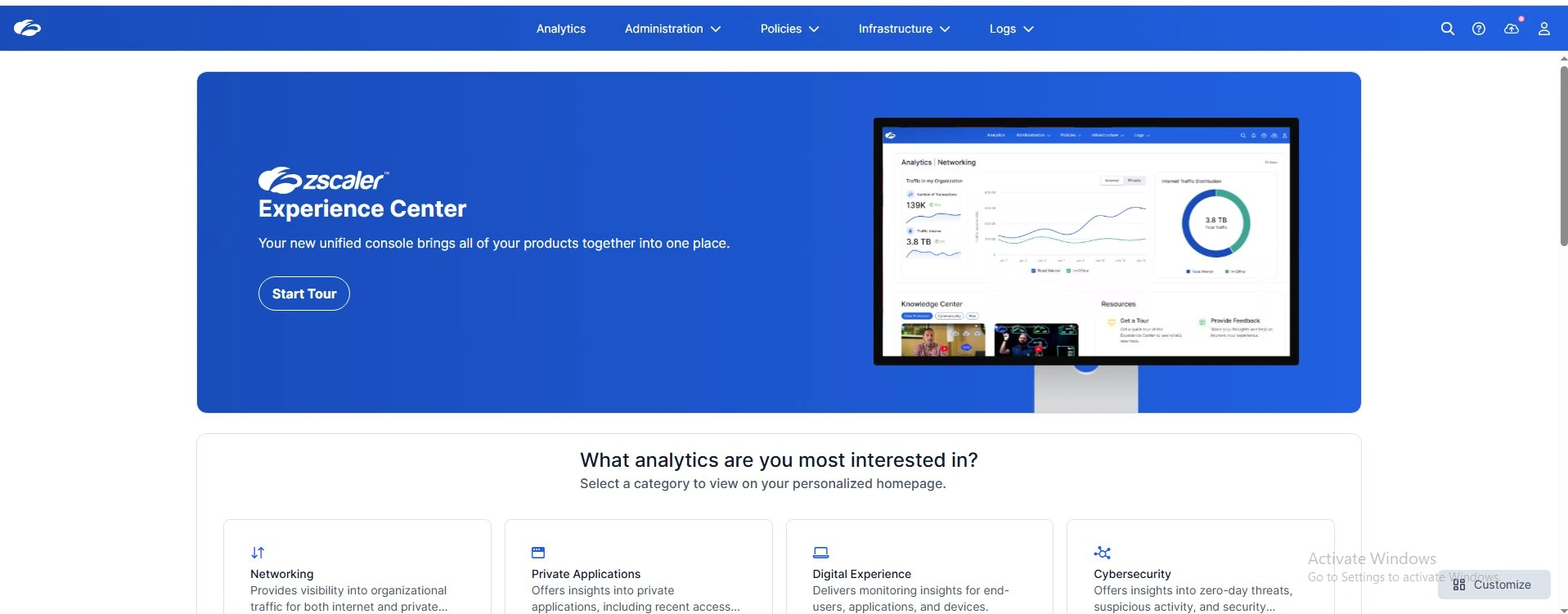
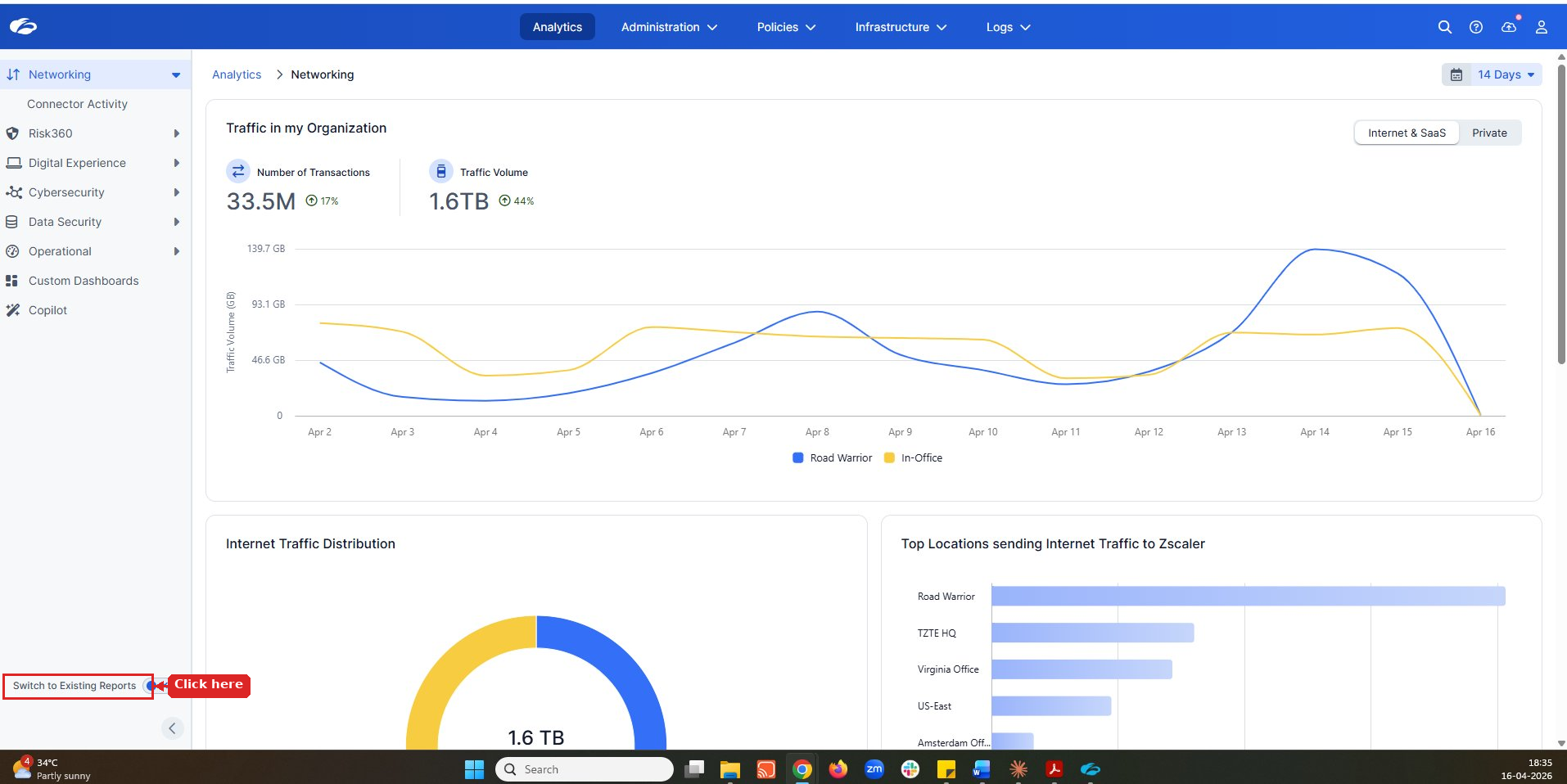
Click Switch to Existing Reports in the bottom-left corner.
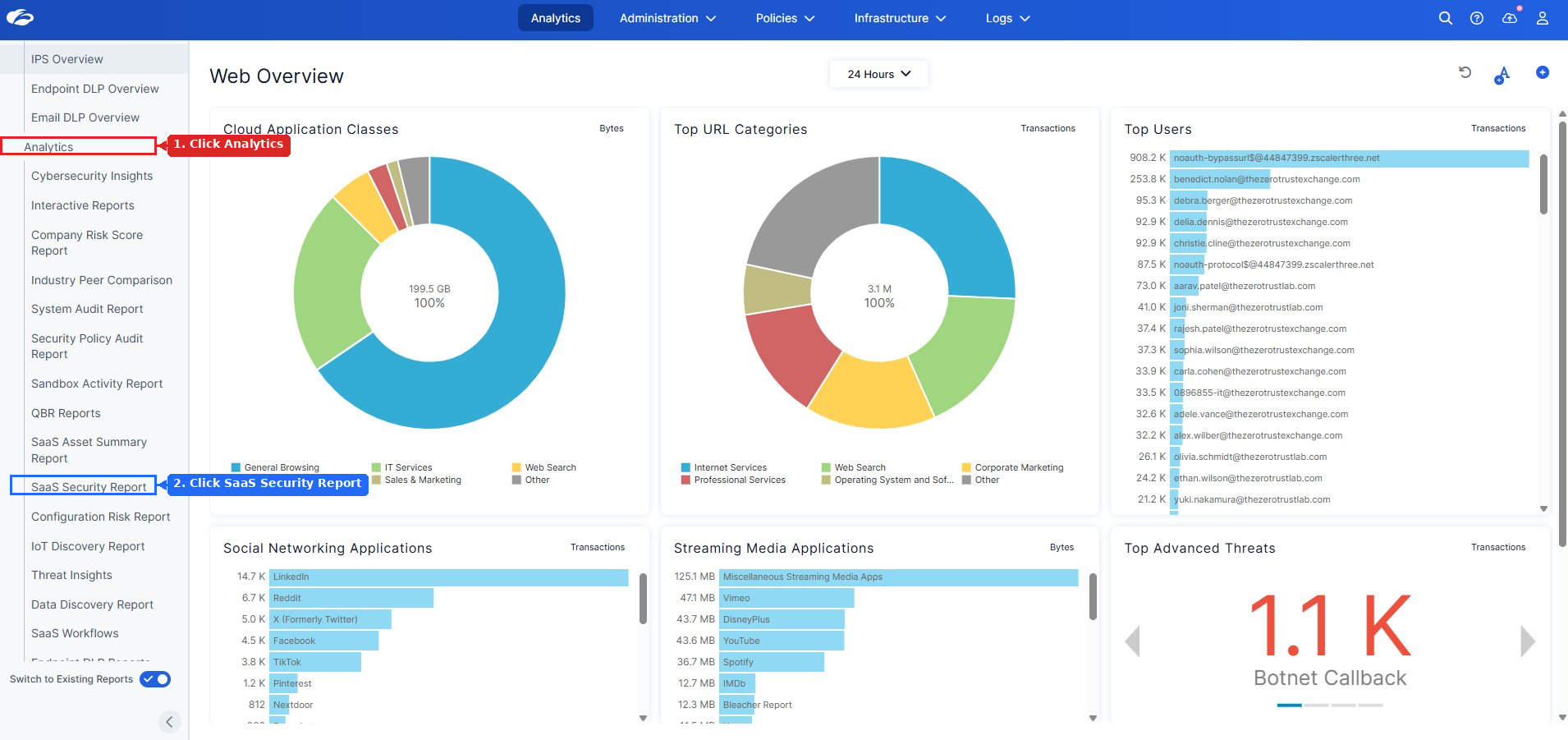
Analytics → SaaS Security Report
You should now see the SaaS Security Report top-level view.
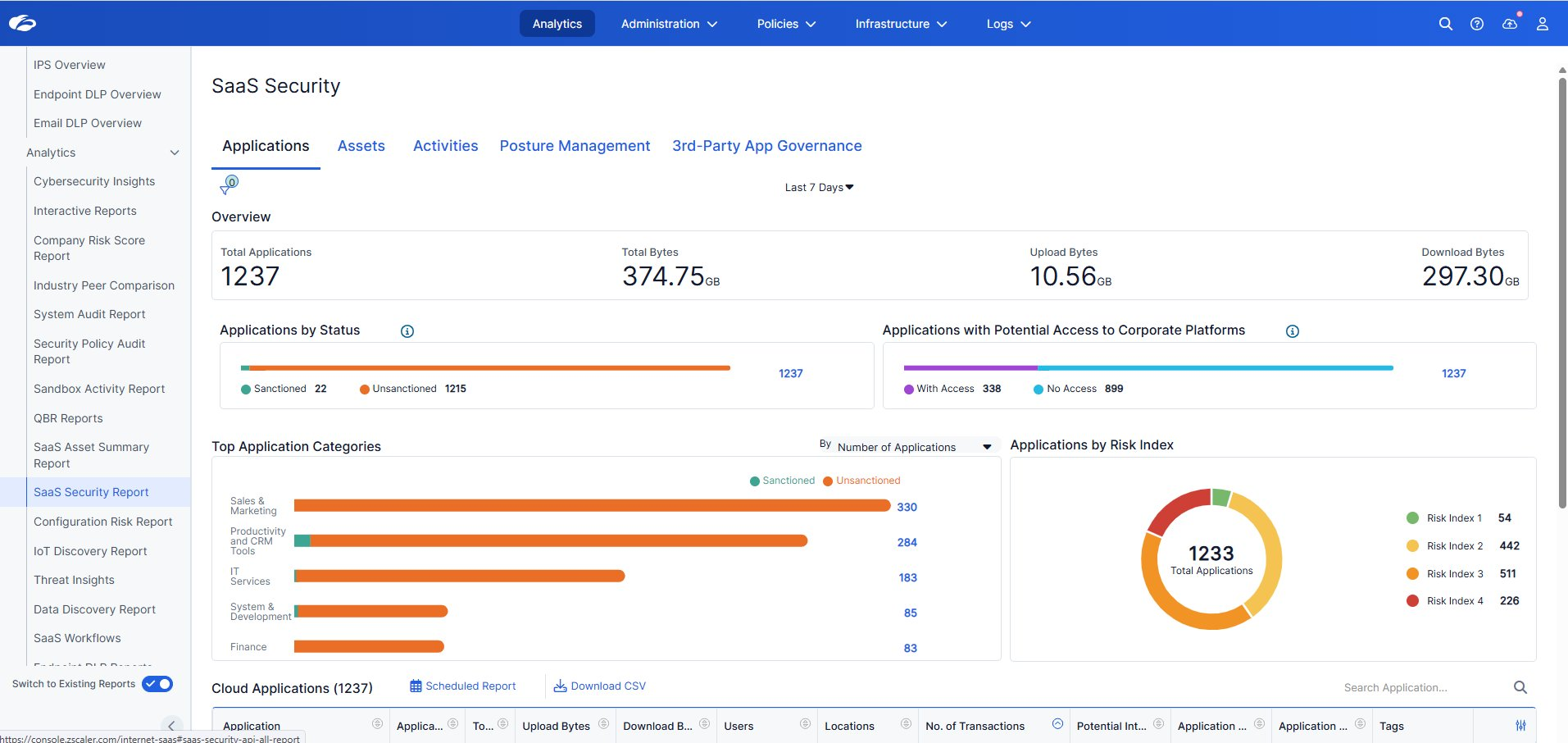
Scroll down to the Cloud Applications table.
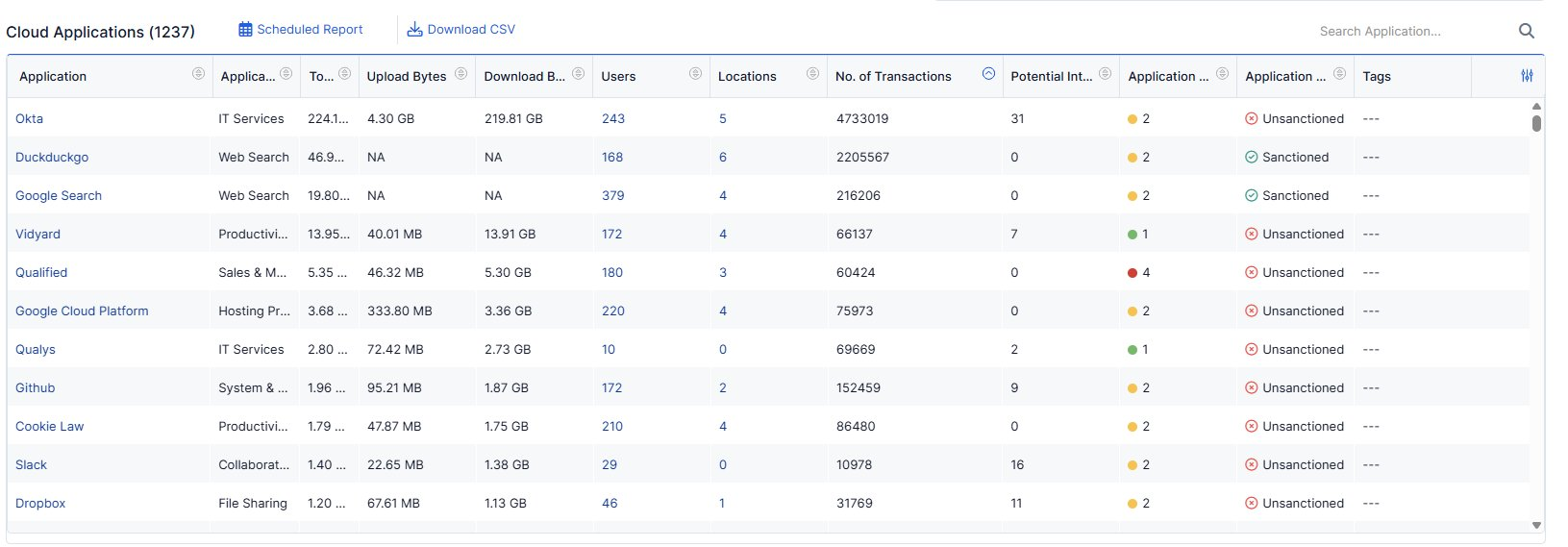
This is read-only. Observe and note what stands out — do not modify any settings.
- How many unsanctioned apps can you see? Does the number surprise you?
- Which app has the highest Risk Index — is it sanctioned or unsanctioned?
- What does the upload vs. download volume tell you about how employees are using cloud apps?
- If an employee uploaded a payroll spreadsheet to an unsanctioned app, would your current controls catch it?
Zero-touch discovery, zero agents.
Every app in this report was discovered passively as traffic flowed through the Zscaler cloud — no endpoint software, no network taps. This is the foundation that makes everything in Module 2 possible: you can only protect what you can see.
Point out the gap between what IT has sanctioned and what users are actually running. If GenAI apps (ChatGPT, Gemini, Copilot) appear in the unsanctioned list, use that as the hook for the payroll data narrative that runs through Labs 3, 4, 6, and 9.
Typical attendee reaction: surprise at the volume of apps. Let that land before moving on — it's the emotional anchor for why everything in Module 2 matters.
Transition: "Now that we can see every app, the next question is — what data is moving through them? That's Lab 3."
2. Drill Into an Unsanctioned App — App Risk Profile
Content pending.
3. App Instance Discovery — Corporate vs. Personal
Content pending.
4. Auto Discovery — What Content Is Being Uploaded?
Content pending.